
Out Of Stock
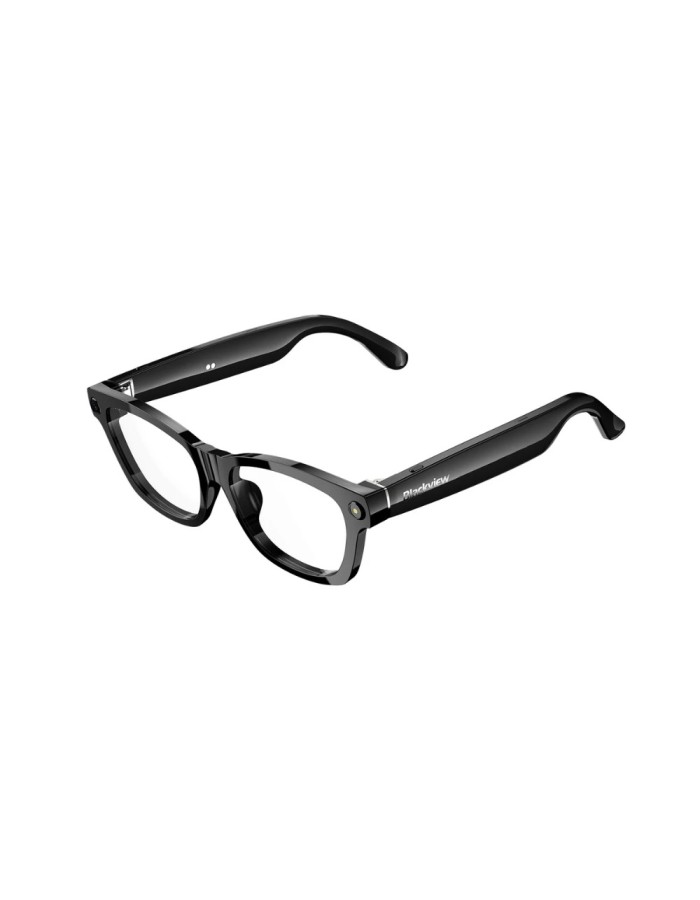
Blackview Smart Glasses BV100 Black(anti-blue light)
€69.00
Ex Tax: €57.98
- Stock: Out Of Stock
- Brand: Blackview
- EAN: BV100ANTI


-90x90.jpg "Acefast C1-10 USB-C to HDTV aluminum alloy connectors HD video cable black")

")


 Components & Networking
 Electronics
 Gaming
 Home & Health
 Laptops & Desktops
 Phones & Tablets
 Printing & Consumables
 Sound & Vision
Components & Networking
Electronics
Gaming
Home & Health
Laptops & Desktops
Phones & Tablets
Printing & Consumables
Sound & Vision
Sound & Vision
Components & Networking
Electronics
Gaming
Home & Health
Laptops & Desktops
Phones & Tablets
Printing & Consumables
Sound & Vision
The Glasses Blackview BV100 They're much more than just glasses: they're your smart assistant for everyday life. Thanks to their integrated AI technology, They combine a lightweight and modern design with smart features that make your routine easier, whether you're working, getting around town, or enjoying a connected experience without taking your phone out of your pocket.
Designed to offer all-day comfort, The BV100 series stands out for its intuitive operation, advanced connectivity, and practical approach that perfectly complements today's digital lifestyle. Ideal for those seeking innovation, functionality, and a futuristic touch in a single device.
One-touch activation with your fingers: Simply tap with your finger to easily activate the AI voice assistant and unlock features such as listening to music, making calls, recording videos, and taking photos.
800W high-definition camera, 2K HD image capture, supports 1200P video recording and features a built-in anti-shake algorithm. AI automatically optimizes image quality (such as darkening and background blur). Multi-frame noise reduction and HDR synthesis. Automatically captures and syncs with your mobile device.
Physical button steps
On/Off: Briefly press the right button for 2 seconds during startup/power off, then press and hold the right button for 5 seconds.
Bluetooth pairing: Open the mobile app, search for Bluetooth devices to add them.
Take photos: Briefly press the right button once (not in call mode).
* Press and hold the right button for 3 seconds to turn on (Bluetooth reconnection successful)
Image recording: Briefly press the right button twice to start recording (not in call mode). Then, briefly press the right button once to stop recording.
Sound recording: Double-tap the right button briefly to start recording (not in call mode). Then, briefly tap the right button once to stop and save the recording. (ongoing).
Call mode: Briefly press the left/right button once to answer. Then, press and hold the left/right button for two seconds to reject. Finally, briefly press the right button once to hang up (during a call).
Upon waking: Briefly press the left button once to activate or cancel the AI voice assistant (in Bluetooth mode).
Data transmission: WiFi transmission in any state.
Delete pairing records: Press and hold the left button for 5 seconds to erase the information and pairing of the connected device.
Side touch area
Music mode:
Right-click to pause the music (in music playback mode).
Right-click on the music playback (paused music).
Double-click the right mouse button on the next track (in music play/pause mode).
Volume control:
Slide the right slider forward (volume +)
Slide the right slider back (volume – )